Your Literature Review Platform.
- ✓Find & filter all articles with full text
- ✓Quickly verify data in context
- ✓Extract data with precision
One Application. Immediate Answers. Not AI.
Sign up now and save 20 papers in your library for free.
“FoundThat verified our meta-analysis data submitted to Psych Bulletin.”
— Child Development PI
“It has significantly elevated my literature quality and accelerated the rate at which I can complete a study.”
— Medical Researcher
“What took me a week to do, FoundThat did in minutes.”
— Research Scientist
“No hallucinations is huge. I don't have to verify the data.”
— Systematic Review Lead
“FoundThat works well in our process. And it saves us time.”
— Clinical Researcher
“Being able to search for variables is massive.”
— Data Analyst
“I like that it connects with Zotero. Nothing else does that.”
— Academic Researcher
“It's so easy to use. I wish I had this sooner!”
— PhD Student
“FoundThat verified our meta-analysis data submitted to Psych Bulletin.”
— Child Development PI
“It has significantly elevated my literature quality and accelerated the rate at which I can complete a study.”
— Medical Researcher
“What took me a week to do, FoundThat did in minutes.”
— Research Scientist
“No hallucinations is huge. I don't have to verify the data.”
— Systematic Review Lead
“FoundThat works well in our process. And it saves us time.”
— Clinical Researcher
“Being able to search for variables is massive.”
— Data Analyst
“I like that it connects with Zotero. Nothing else does that.”
— Academic Researcher
“It's so easy to use. I wish I had this sooner!”
— PhD Student
No need for re-reading every paper to pull information.
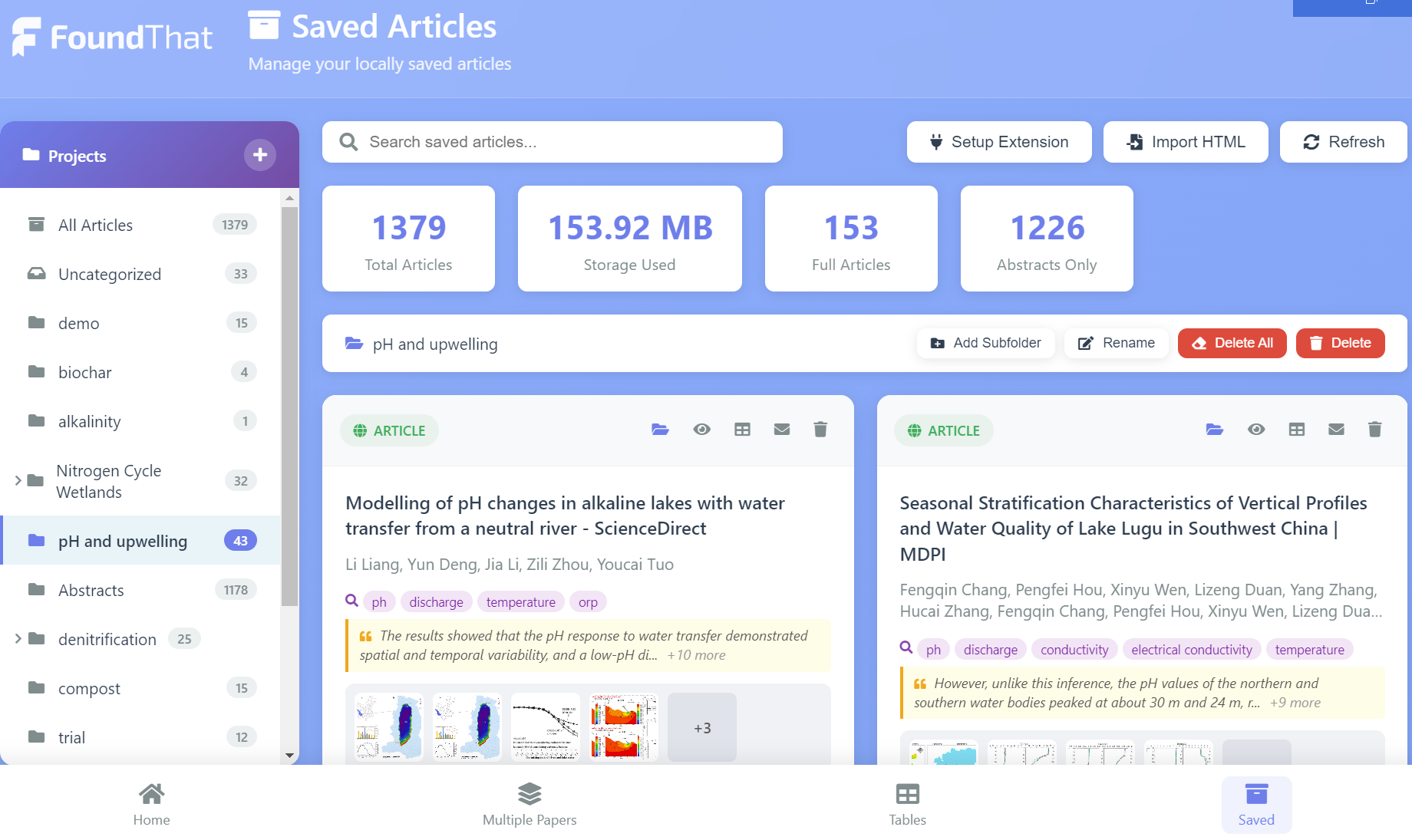
View key information. Search Abstracts & full papers. Save & export what you need.
View Information
- •Key quotes
- •Tables and Figures
- •Methods & Findings
- •Abstracts & full papers
Retrieve Data
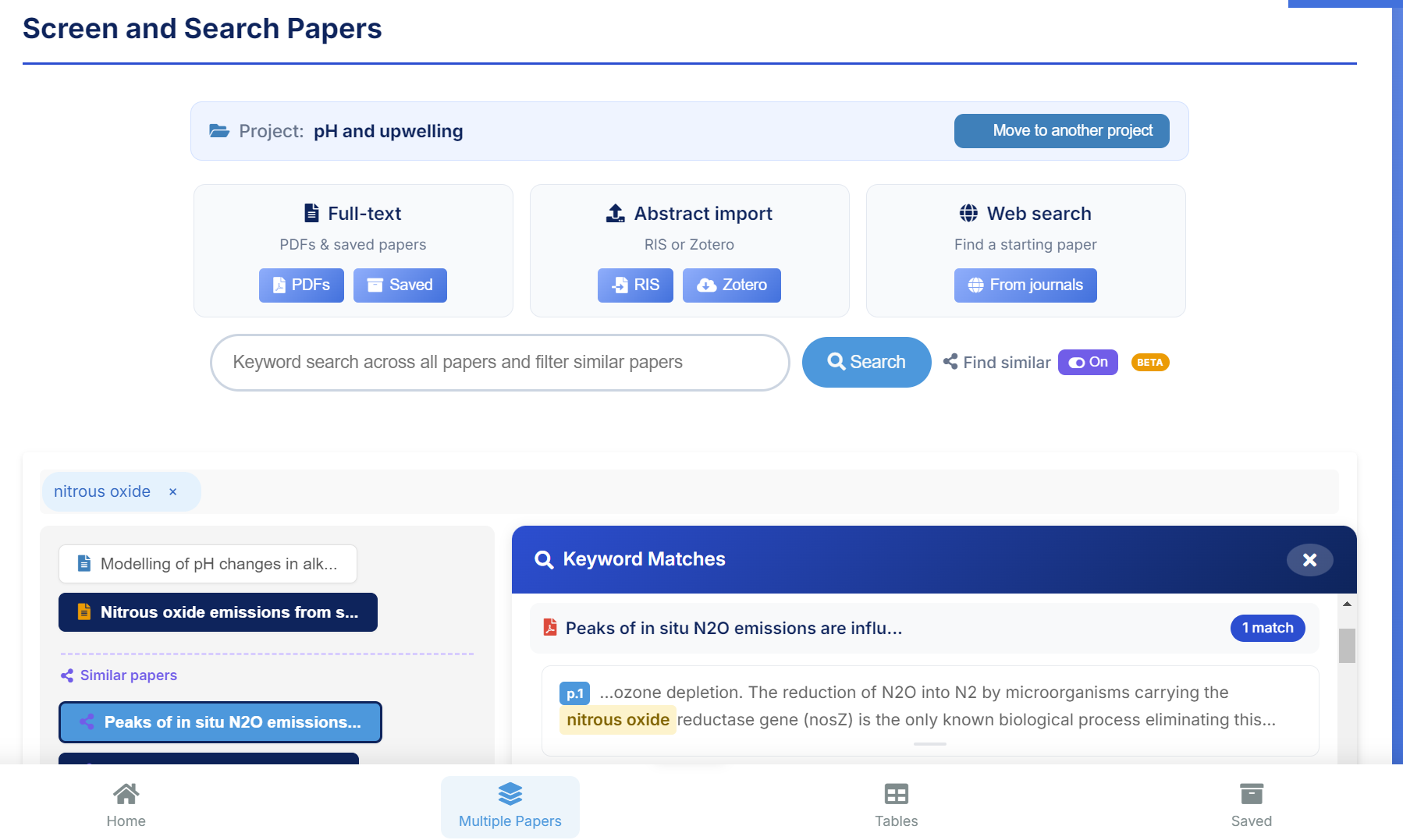
- •Search across all text
- •View similar table variables
- •Search & compare variables
Save & Export
- •Save papers you want
- •Use search terms as tags
- •Export tables and figures
How Researchers use FoundThat
Find starting papers
- •Search peer-reviewed paper repositories.
- •Instantly search our database for anything similar.
- •View abstracts and full articles in FoundThat.
Screen out papers that don't match your research
- •Find specific papers based on defined searches.
- •View tables & figures as they appear in paper.
- •Drill down into tables and see their results.
Quickly find papers you may have missed
- •Use your library to find new papers similar to all those in a folder, project, or your whole library.
- •FoundThat gets more specific and refines the search as you add more to your library.
Keep everything in one application
You don't have to open and work with multiple websites, spreadsheets, and applications.
- •Click to view abstracts and full papers.
- •Go to specific paragraphs within a paper.
- •Save and export what you want.
Get rid of copy/paste data entry
- •View, select, and pull-out tables and figures.
- •View and pull-out data exactly as it appears in each paper.
- •Tables and Figures automatically credit the author.
Retrieving evidence when writing and reviewing
- •FoundThat maintains the connection between each paper and everything attached to it in a project folder.
- •Significant quotes, search terms, figures, and tables always attached.
- •Forgot where something came from? The detailed search quickly retrieves papers and information you're looking for.
No credit card. No time limit. Full functionality.